Digital planner app
A digital planner that feels easy to return to
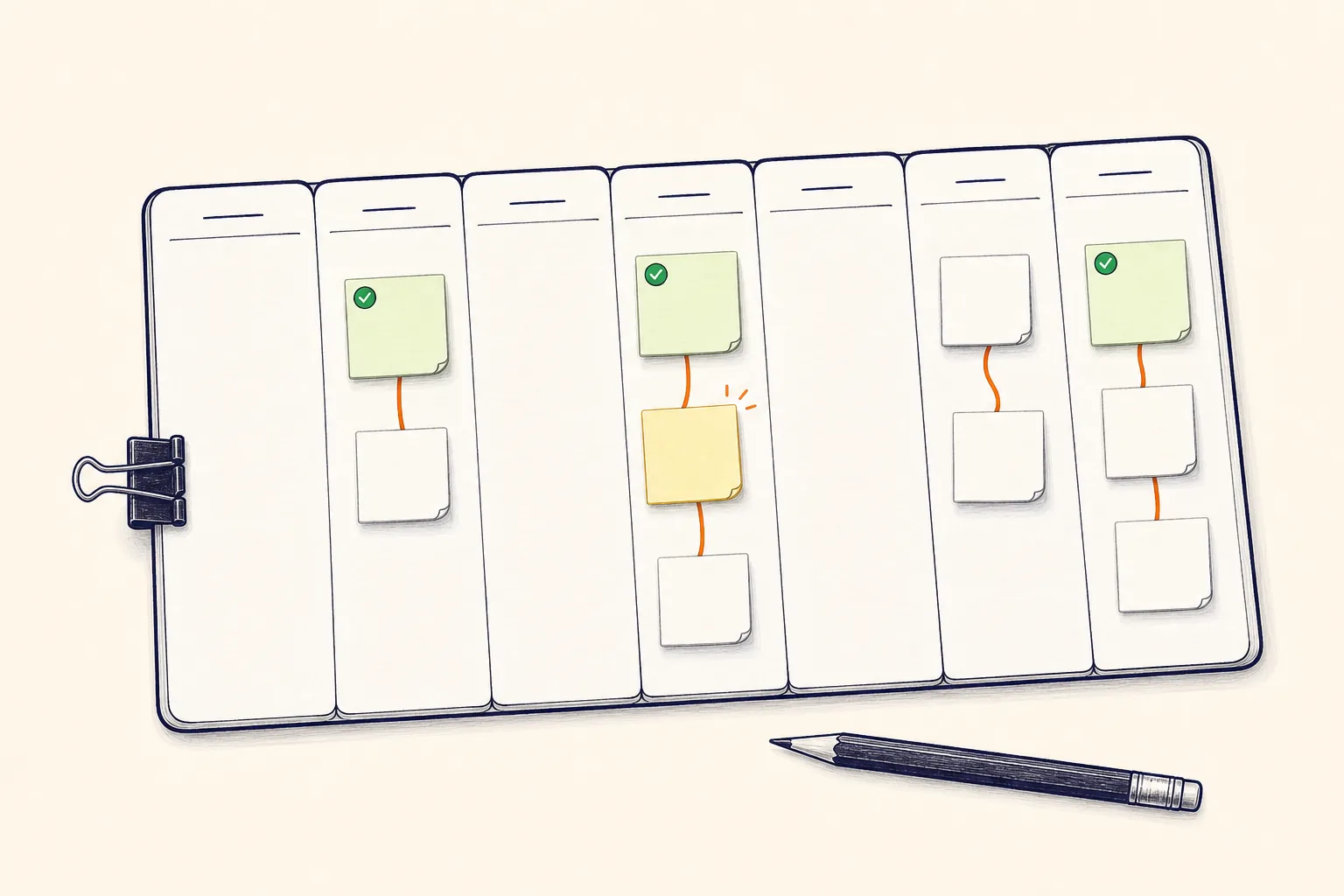
Skip the decorated pages and complicated setup. TodoTrail gives each day a simple working surface: notes, a route, and a clear current step.
- Works in the browser
Digital planner app
Skip the decorated pages and complicated setup. TodoTrail gives each day a simple working surface: notes, a route, and a clear current step.

A planner for doing
Digital planners can become projects of their own. TodoTrail keeps the system deliberately small so planning remains a short transition into work, not a second job.
How it works
Start with the date you are actually living. Add the tasks that deserve a place on today's route.
Use position and connection to show order. The layout carries meaning without requiring a stack of settings.
Change task content, status, and position while preserving the larger route and your chosen zoom.
Built for the real day
TodoTrail combines the editability of software with the immediate clarity of notes arranged on a physical desk.
The canvas is ready to use. You do not need to design pages before you can plan the day.
The route makes order visible in space instead of burying it in priority fields and menus.
Completed notes remain part of the picture, giving the day a visible history.
Open TodoTrail in the browser and return to the same route wherever you plan your work.
A good fit for
Keep the warmth and visibility of paper while gaining easy editing and date-based access.
Use a focused daily surface without building a database or complex workspace.
Understand the day through position, connection, color, and progress.
Practical questions
No. TodoTrail runs in the browser and is designed to work with standard pointer and touch interactions.
TodoTrail is focused on daily task routes rather than long-form journaling or decorative planning pages.
Yes. Date navigation lets you return to earlier routes and see the work that was completed.
Start with today
No new system to maintain. Just a clearer way to begin.