TodoTrail
How it worksLive demoPricingBlog
Sign inCreate my first route

Time blocking app

Give every focus block a clear route

A calendar can protect the time. TodoTrail helps you decide what to do inside it, in an order you can actually follow.

Create my first route See a sample route
  • Route work inside a focus block
  • Keep one task current
  • Adjust the plan without starting over
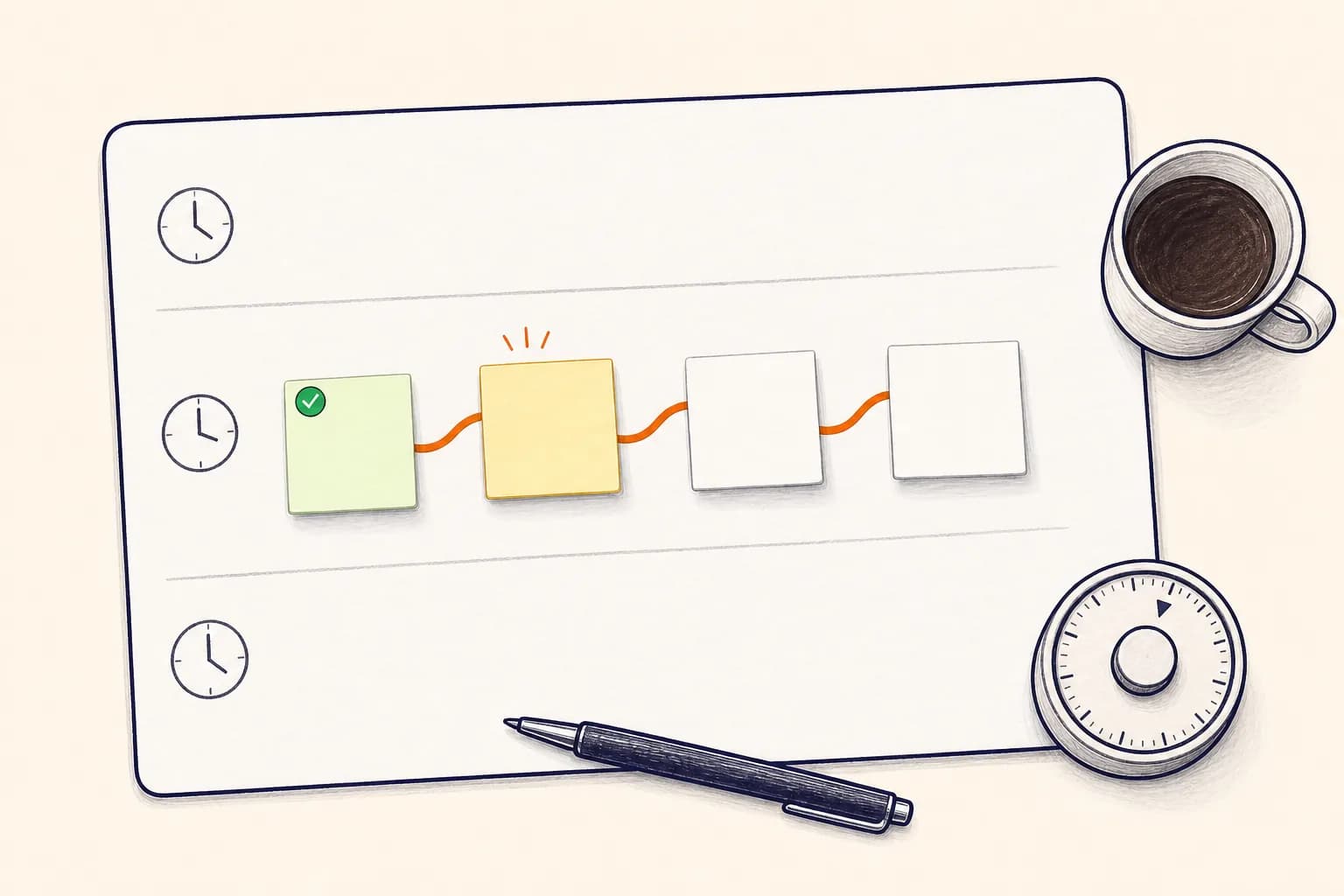
  • A hand-drawn focus-session planner with blank task notes connected inside one time block
    Protect the time, then give the work a route.

    Beyond the calendar block

    Booked time is not yet a plan.

    A two-hour focus block can still disappear into setup, indecision, and task switching. TodoTrail turns that block into a short sequence of visible actions, so the first move is ready before the timer starts.

    How it works

    From open loop to clear route

    01

    Name the outcome

    Decide what should be true when the block ends: a draft exists, feedback is sent, or the first version is reviewed.

    02

    Map the actions inside it

    Add only the steps that support that outcome. Put setup first, focused work in the middle, and a clean handoff at the end.

    03

    Stop with a visible handoff

    If the block ends early, leave the current note in place. The route shows where to resume without reconstructing the session.

    Built for the real day

    Time blocking that stays honest

    TodoTrail does not pretend every minute will go exactly as planned. It gives a focus block enough structure to start, continue, and recover.

    01

    Works beside your calendar

    Keep the actual start and end time in your calendar. Use the route for the actions that belong inside that window.

    02

    Makes setup visible

    Opening files, collecting references, and preparing a meeting are real steps. Put them on the route instead of hiding them.

    03

    Reduces mid-block choices

    Choose the sequence before the session so each completed task leads naturally to the next.

    04

    Handles unfinished work calmly

    A block can end without the route disappearing. Keep the current state and make an intentional decision about what moves.

    A good fit for

    Plans that need to move, not pose

    Deep work

    Turn a protected writing, coding, or design block into a short sequence with a defined finish.

    Study sessions

    Put review, practice, and recall in order instead of jumping between materials.

    Admin batches

    Group related calls, forms, and follow-ups into one focused route.

    Route principle

    A time block protects attention. A route directs it.

    Use both at the level where they are strongest: the calendar holds the boundary, and TodoTrail holds the sequence.

    Practical questions

    Before you put the day on a route

    Does TodoTrail schedule calendar events?

    TodoTrail currently focuses on the task route inside a work session. Use your existing calendar for fixed time boundaries and TodoTrail for the sequence of work.

    How many tasks belong in one time block?

    Usually three to five clear steps are enough. If the route becomes a full backlog, the block has probably lost its focus.

    Can I use it for timeboxing?

    Yes. Set the timebox in your timer or calendar, then use TodoTrail to define the actions and the stopping point for that session.

    Keep exploring

    Choose the planning view that fits

    Time blocking plannerBuild a time-blocking plan you can followDaily schedule plannerPlan the work between the appointmentsDaily planner appA daily planner app that shows the way forward

    Start with today

    Turn the next few tasks into a route.

    No new system to maintain. Just a clearer way to begin.

    Create my first route
    TodoTrail
    Daily plannerTime blockingWeekly plannerPricingBlogFeedbackPrivacyTermsSecurity